Layers
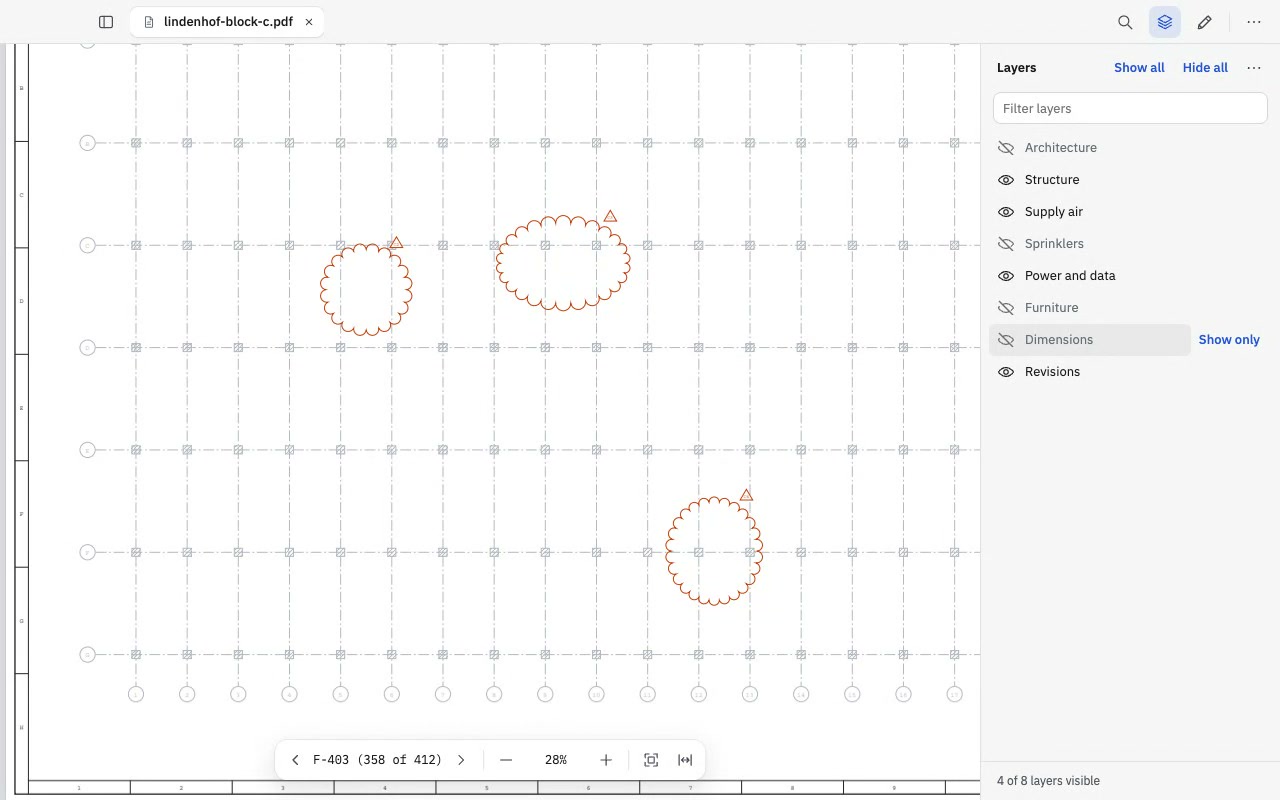
Turn the file's own layers on and off. Take the sprinkler mains off the sheet, or the walls, and what is left is still the drawing as the consultant issued it.
Less is more.
It opens a contract, a form or a 400-sheet drawing set without a wait, and nothing you open ever leaves your computer.
The app is free, and you don't need an account. If you also want page tools, measuring, compare and book mode, Premium is USD 49, once.
Turn the file's own layers on and off. Take the sprinkler mains off the sheet, or the walls, and what is left is still the drawing as the consultant issued it.
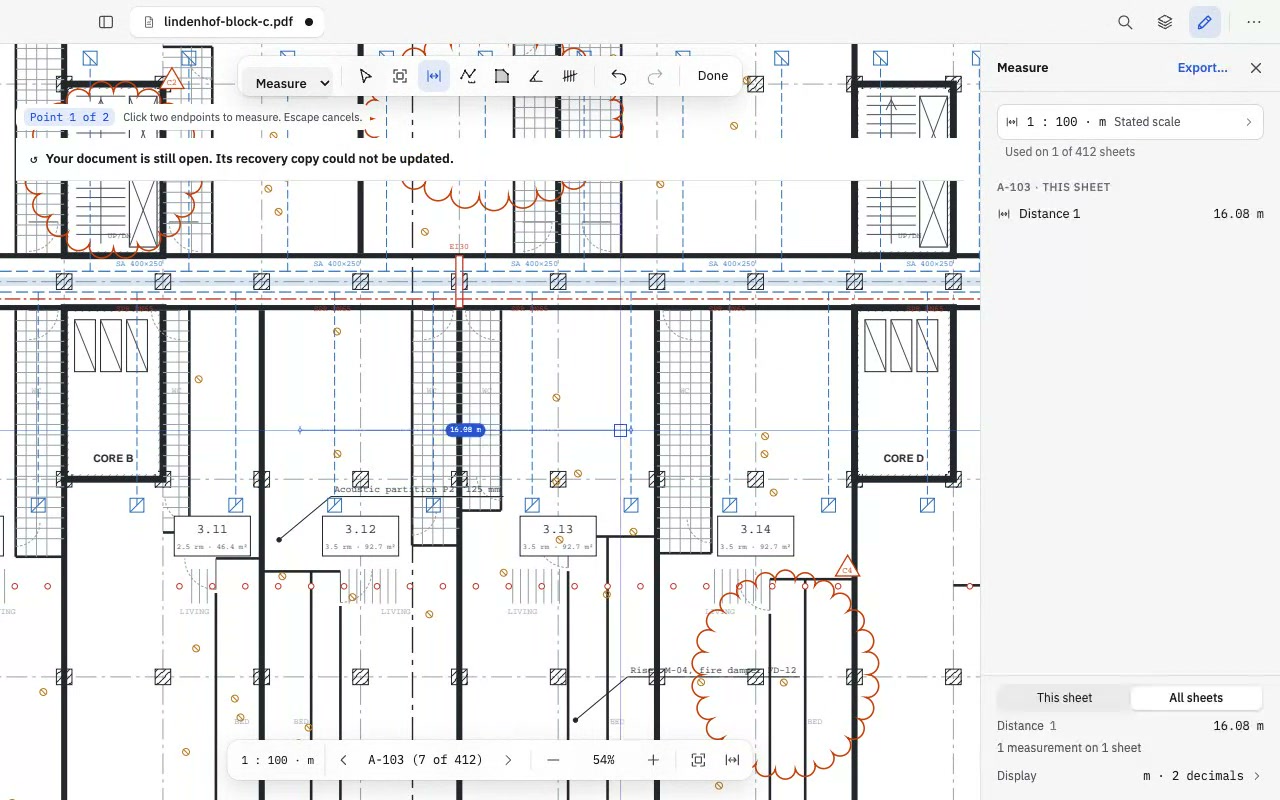
Tell a sheet its scale once, or click two points on a known length. After that, every distance and area you click is read off the drawing, in metres or feet.
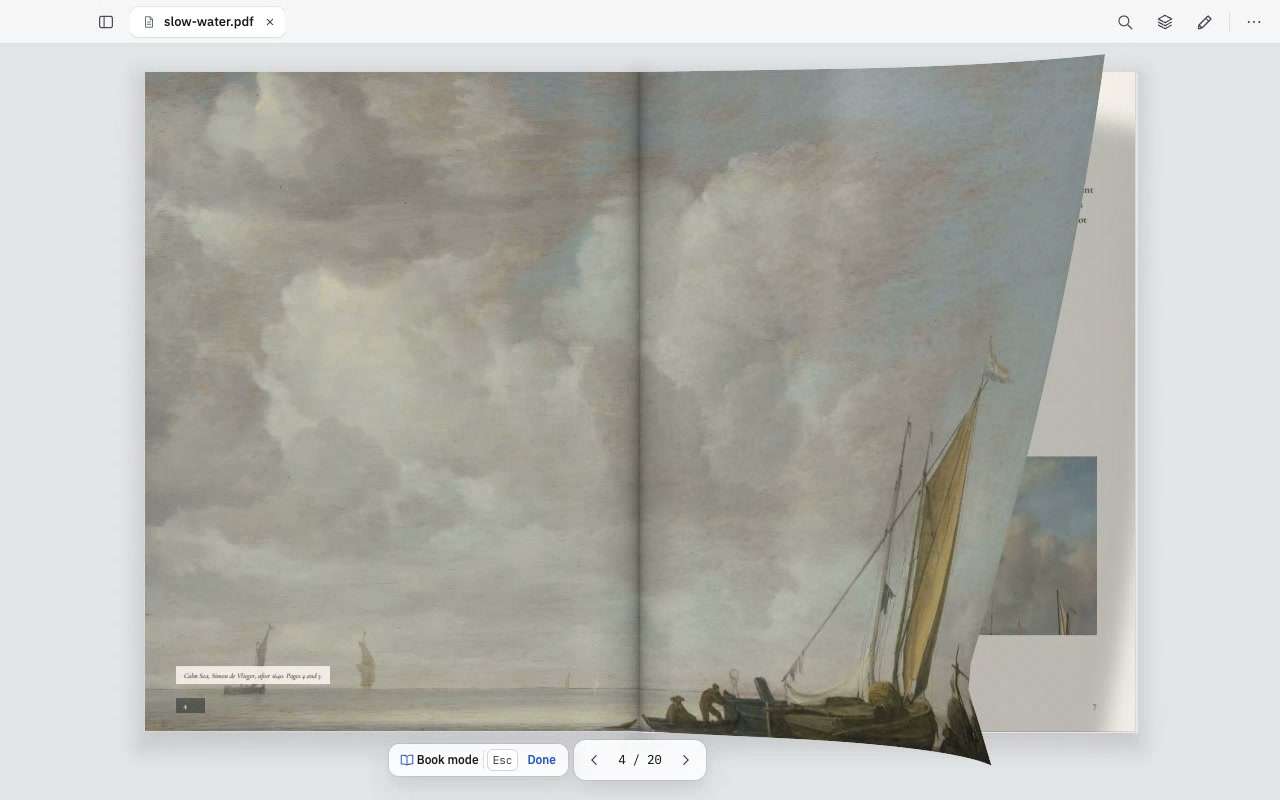
Facing pages that turn like paper, for the days when the PDF is a magazine or a report rather than a drawing. The side panels get out of the way while you read.
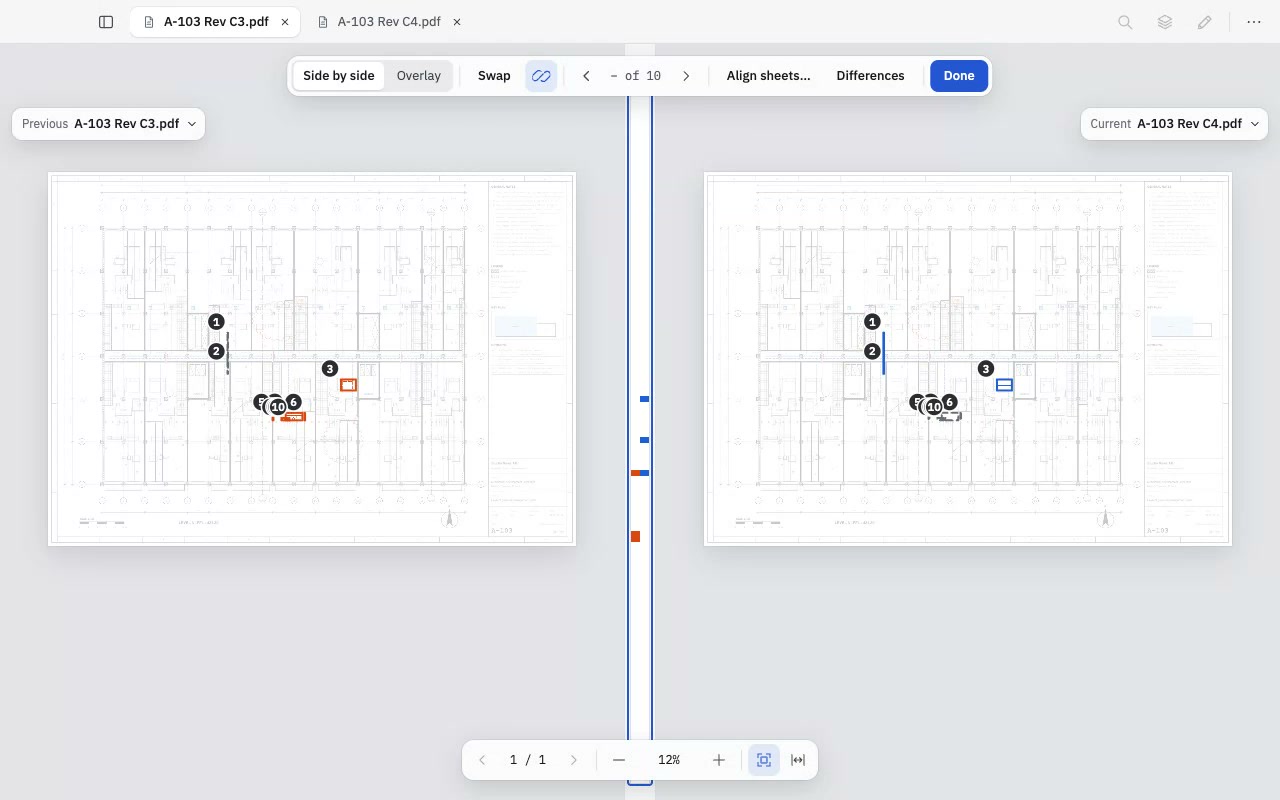
Open the old issue next to the new one and step through what changed, difference by difference. Overlay lays one on the other, with what was added in blue and what went in red.
Press ⌘K and type the start of what you want, on a drawing or on a magazine. There is no toolbar to hunt through, and the tools you use most rise to the top.
For reading, checking and marking up drawings. You don't need an account, and nothing is watermarked or uploaded.
USD 49 once, per person, on two computers. Updates are included.
Premium tools show a small diamond in the free app, so you can see what each one does before you decide to pay. Compare every feature